> ## Documentation Index
> Fetch the complete documentation index at: https://octanist.com/docs/llms.txt
> Use this file to discover all available pages before exploring further.
# Qualifying Your Leads
> Learn how to qualify your leads in Octanist.
Lead qualification is the bread and butter of Octanist. Understanding how it works is crucial. In this article, we explain how you can qualify your leads with Octanist. This is essential for assigning value to your leads and linking them back to your campaigns.
***
## Table of Contents
1. [Getting Leads in Octanist – Incoming Integrations](#1-getting-leads-in-octanist--incoming-integrations)
2. [Sending Lead Value to Campaigns – Outgoing Integrations](#2-sending-lead-value-to-campaigns--outgoing-integrations)
3. [Qualifying Your Leads](#3-qualifying-your-leads)
4. [Lead Actions](#4-lead-actions)
5. [Expired Leads](#5-expired-leads)
***
## 1. Getting Leads in Octanist – Incoming Integrations
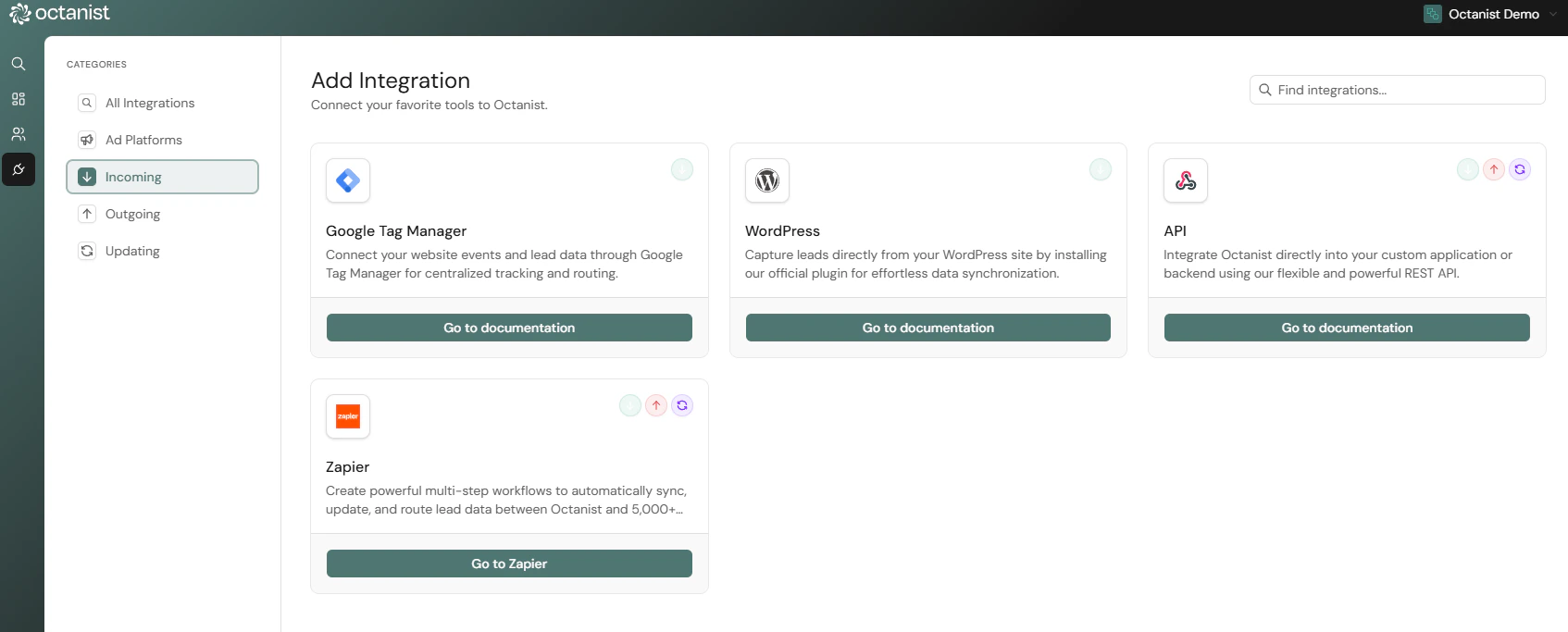
To qualify leads, they first need to exist in Octanist. There are different ways to bring in leads. Please refer to our [Incoming Integrations](https://docs.octanist.com/incoming-integrations/) guide to set this up.
If you're having trouble, feel free to reach out to [**support@octanist.com**](mailto:support@octanist.com) — we're here to help.
***
## 2. Sending Lead Value to Campaigns – Outgoing Integrations
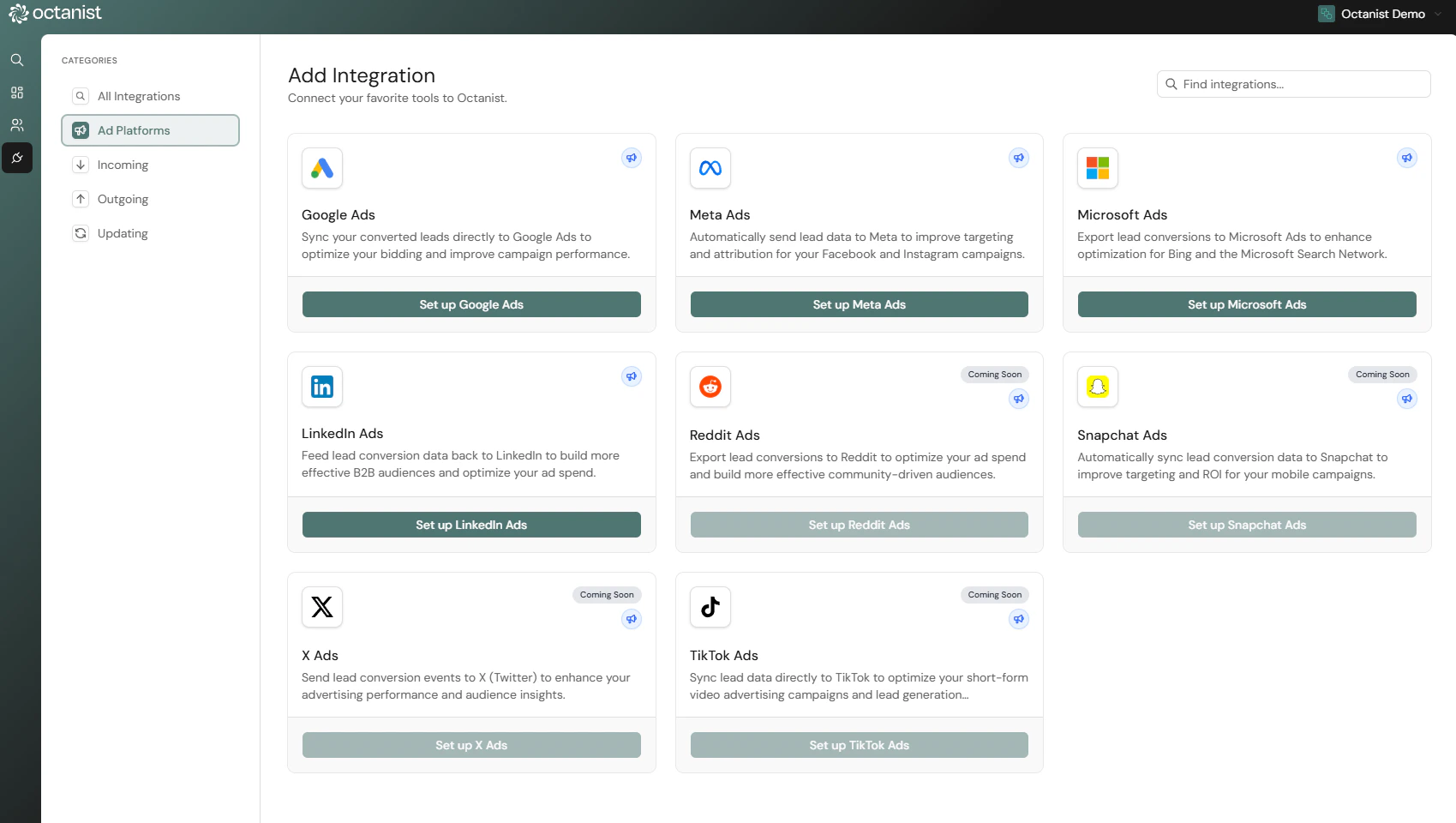
Before you begin qualifying leads, we recommend setting up your **Outgoing Integrations** first.
Some platforms, such as [**Meta**](https://docs.octanist.com/outgoing-integrations/meta) and [**Google Analytics**](https://docs.octanist.com/outgoing-integrations/google-analytics), do not support backdating data. This means that if you qualify leads *before* setting up the integration, those conversions will not be sent to the platform.
Set up your outgoing connections in our [Outgoing Integrations](https://docs.octanist.com/outgoing-integrations/) section.
***
## 3. Qualifying Your Leads
Once your **Incoming** and **Outgoing Integrations** are configured and your leads are visible in Octanist, you're ready to start qualifying them.
1. Go to [**Leads**](https://octanist.com/leads) in Octanist.
2. Select a lead you want to qualify.
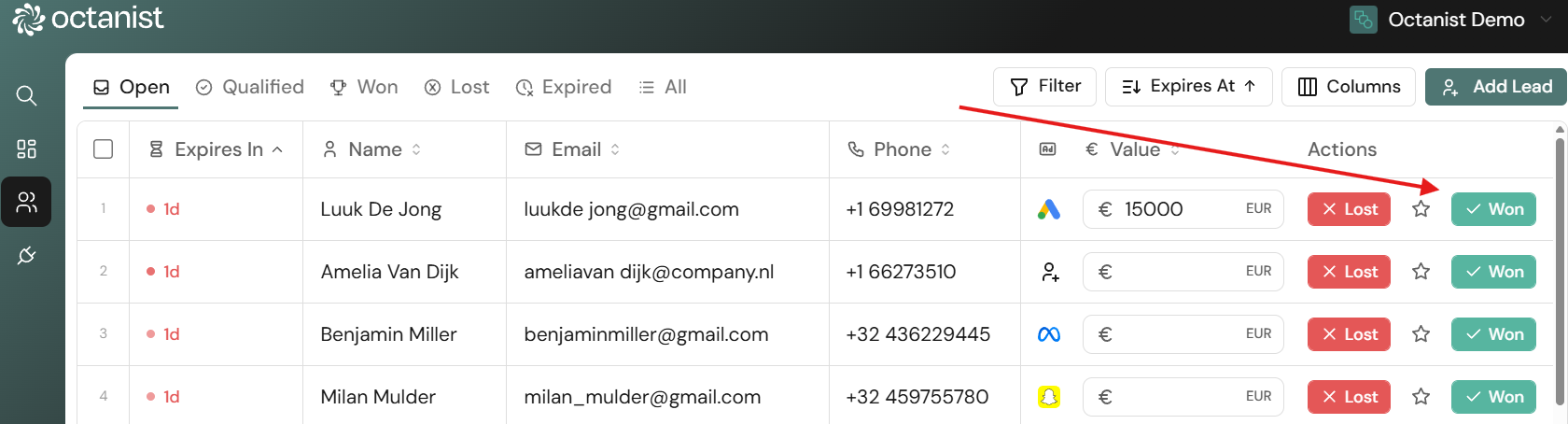
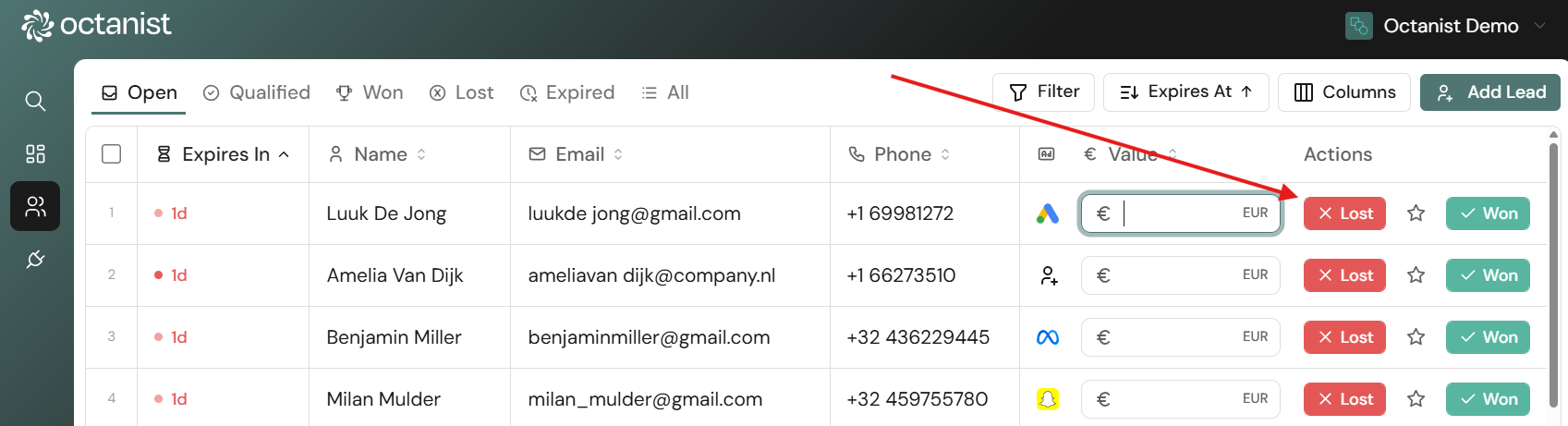
If the person or company has converted — for example, they purchased a product — enter the **value** of that conversion (e.g., 10000).\
\
You can manage and edit conversion names in **Settings >** [Conversions](https://octanist.com/settings/?tab=conversions).
> ⚠️ This name must **exactly match** the one used in your ad platform (e.g., Google Ads), so make it clear and consistent.
Once all fields are filled out, press **Winner**.\
This sends the conversion value and name to the ad platforms linked in your Outgoing Integrations.
The lead will now move to the [**Won**](https://octanist.com/leads/won/) category.
If the lead **did not convert**, press **Loser**.\
These leads will be moved to the Lost category.
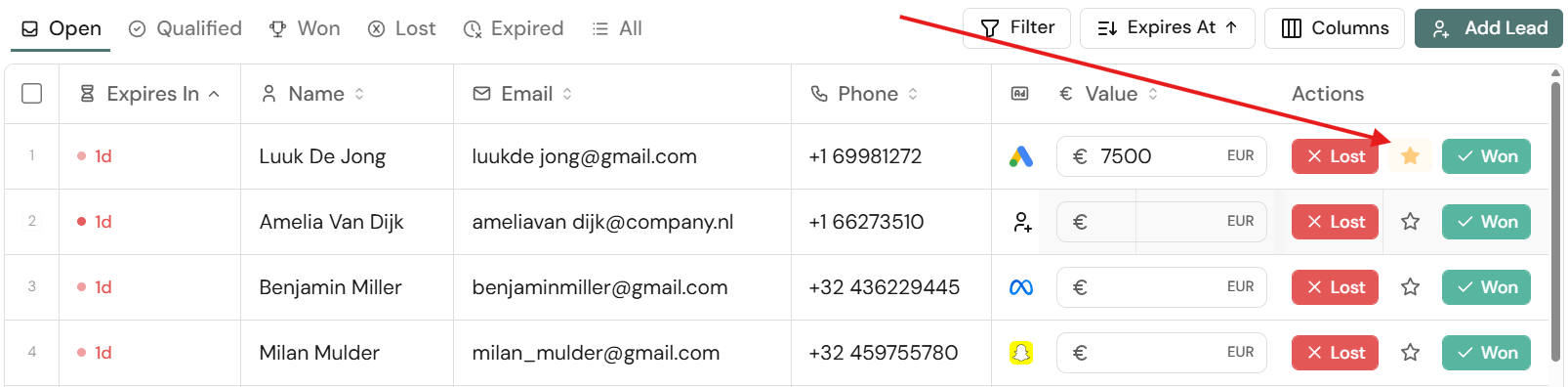
You can also select **Qualified Lead**.\
This is useful for leads that haven't converted yet but are relevant to your business. These leads:
* Show buying intent or interest.
* Can be sent to ad platforms to help optimise your targeting.
* Help signal that your ads are generating quality leads, even if they haven't purchased yet.
* Can have a prospected lead value assigned to them — for example, the expected value if the lead becomes a client.
***
## 4. Lead Actions
Once you click on a lead, you'll also find additional actions:
* **Details**: View lead metadata such as:
* The external lead ID, when one was supplied. Use **Edit** to add, change, or remove it. External lead IDs must remain unique within the organization.
* When the lead came in
* Through which channel
* On which URL it originated
* The conversion goal it will be attributed to
* **Delete**: You can delete leads, though it's not recommended. Only delete test leads or duplicates. Keeping all real leads (even unqualified ones) helps improve campaign targeting and enhances the insights in your [Octanist Dashboard](https://octanist.com/dashboard/).
* **Attribution**: Shows through which channel a lead came in, which Click ID was present, their consent status, and UTM parameters (if passed through the Octanist GTM Template).
* **History**: Shows the history of a lead — e.g., when it was marked as qualified, won, or lost, and when Octanist attempted to sync it back to ad platforms.
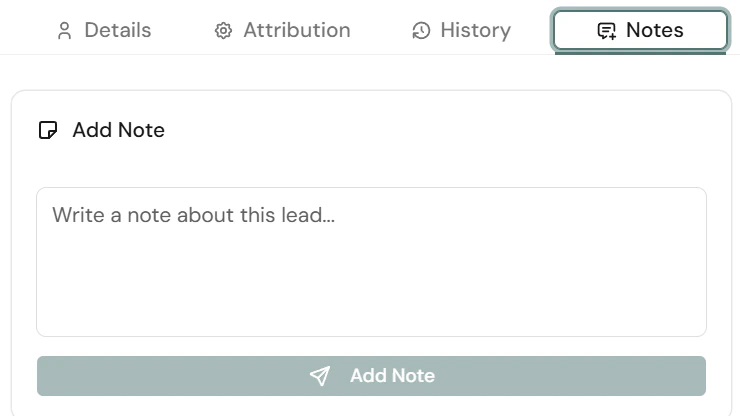
* **Note**: Add internal notes to track communication or follow-ups (e.g., *"Called the lead, they'll respond in 2 weeks"*).
***
## 5. Expired Leads
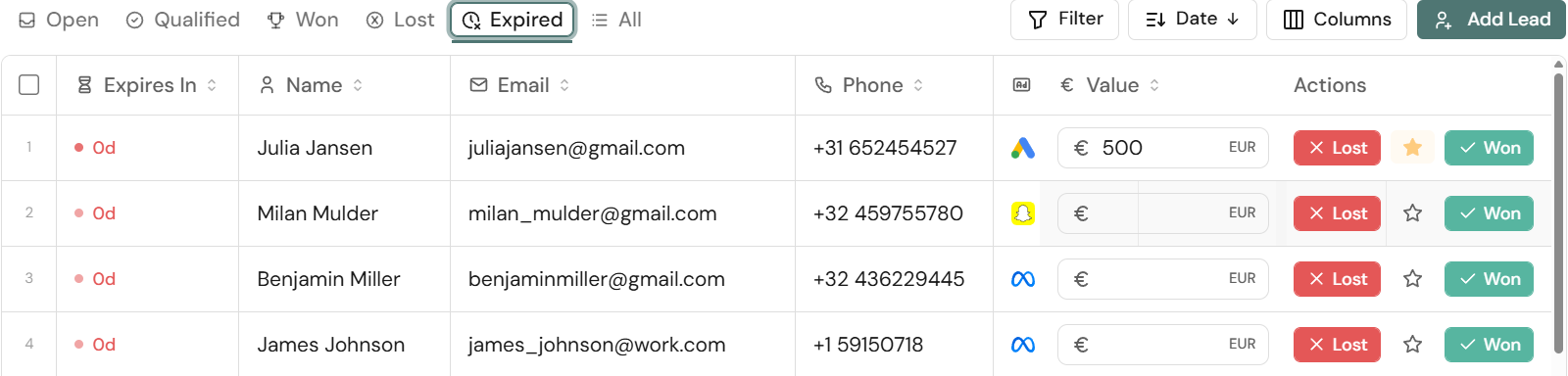
Under the [**Expired**](https://octanist.com/leads/expired/) tab in the Leads section, you'll find leads that haven't been qualified within 90 days.
Why this matters:
* For many ad platforms (e.g., Google Ads), click or conversion tracking **expires after 90 days**.
* After that, Octanist can no longer attribute a conversion to a campaign.
These leads become **obsolete** — meaning the link between the click and the lead is lost.\
To avoid this, make sure to **qualify leads regularly and on time**.
 ***
## 2. Sending Lead Value to Campaigns – Outgoing Integrations
Before you begin qualifying leads, we recommend setting up your **Outgoing Integrations** first.
Some platforms, such as [**Meta**](https://docs.octanist.com/outgoing-integrations/meta) and [**Google Analytics**](https://docs.octanist.com/outgoing-integrations/google-analytics), do not support backdating data. This means that if you qualify leads *before* setting up the integration, those conversions will not be sent to the platform.
Set up your outgoing connections in our [Outgoing Integrations](https://docs.octanist.com/outgoing-integrations/) section.
***
## 2. Sending Lead Value to Campaigns – Outgoing Integrations
Before you begin qualifying leads, we recommend setting up your **Outgoing Integrations** first.
Some platforms, such as [**Meta**](https://docs.octanist.com/outgoing-integrations/meta) and [**Google Analytics**](https://docs.octanist.com/outgoing-integrations/google-analytics), do not support backdating data. This means that if you qualify leads *before* setting up the integration, those conversions will not be sent to the platform.
Set up your outgoing connections in our [Outgoing Integrations](https://docs.octanist.com/outgoing-integrations/) section.
 ***
## 3. Qualifying Your Leads
Once your **Incoming** and **Outgoing Integrations** are configured and your leads are visible in Octanist, you're ready to start qualifying them.
1. Go to [**Leads**](https://octanist.com/leads) in Octanist.
2. Select a lead you want to qualify.
If the person or company has converted — for example, they purchased a product — enter the **value** of that conversion (e.g., 10000).\
\
You can manage and edit conversion names in **Settings >** [Conversions](https://octanist.com/settings/?tab=conversions).
> ⚠️ This name must **exactly match** the one used in your ad platform (e.g., Google Ads), so make it clear and consistent.
Once all fields are filled out, press **Winner**.\
This sends the conversion value and name to the ad platforms linked in your Outgoing Integrations.
***
## 3. Qualifying Your Leads
Once your **Incoming** and **Outgoing Integrations** are configured and your leads are visible in Octanist, you're ready to start qualifying them.
1. Go to [**Leads**](https://octanist.com/leads) in Octanist.
2. Select a lead you want to qualify.
If the person or company has converted — for example, they purchased a product — enter the **value** of that conversion (e.g., 10000).\
\
You can manage and edit conversion names in **Settings >** [Conversions](https://octanist.com/settings/?tab=conversions).
> ⚠️ This name must **exactly match** the one used in your ad platform (e.g., Google Ads), so make it clear and consistent.
Once all fields are filled out, press **Winner**.\
This sends the conversion value and name to the ad platforms linked in your Outgoing Integrations.
 The lead will now move to the [**Won**](https://octanist.com/leads/won/) category.
If the lead **did not convert**, press **Loser**.\
These leads will be moved to the Lost category.
The lead will now move to the [**Won**](https://octanist.com/leads/won/) category.
If the lead **did not convert**, press **Loser**.\
These leads will be moved to the Lost category.
 You can also select **Qualified Lead**.\
This is useful for leads that haven't converted yet but are relevant to your business. These leads:
* Show buying intent or interest.
* Can be sent to ad platforms to help optimise your targeting.
* Help signal that your ads are generating quality leads, even if they haven't purchased yet.
* Can have a prospected lead value assigned to them — for example, the expected value if the lead becomes a client.
You can also select **Qualified Lead**.\
This is useful for leads that haven't converted yet but are relevant to your business. These leads:
* Show buying intent or interest.
* Can be sent to ad platforms to help optimise your targeting.
* Help signal that your ads are generating quality leads, even if they haven't purchased yet.
* Can have a prospected lead value assigned to them — for example, the expected value if the lead becomes a client.
 ***
## 4. Lead Actions
Once you click on a lead, you'll also find additional actions:
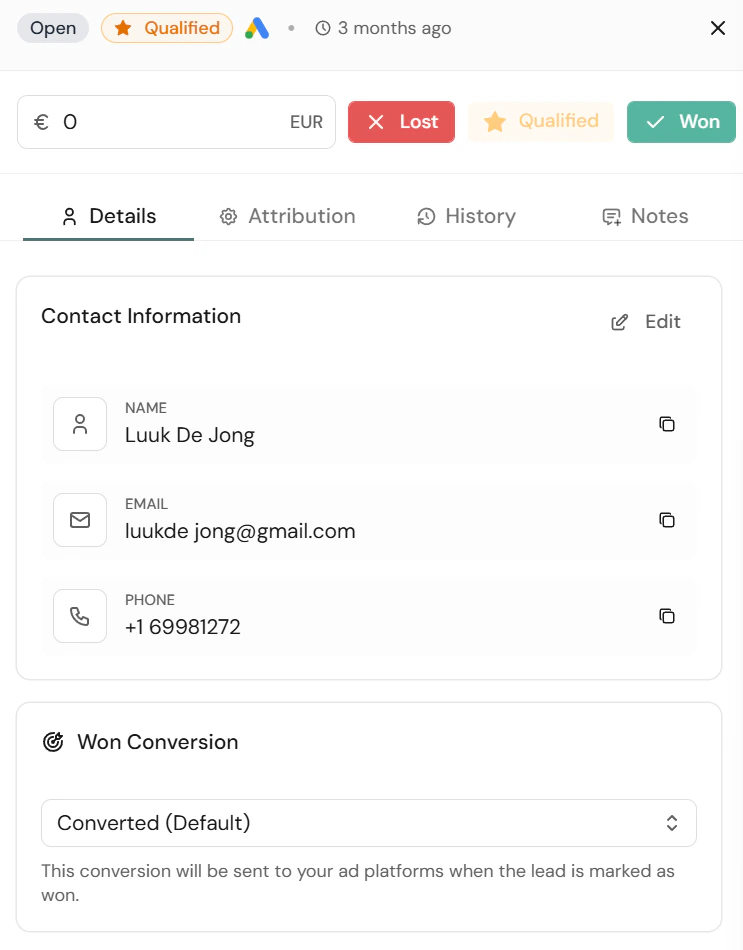
* **Details**: View lead metadata such as:
* The external lead ID, when one was supplied. Use **Edit** to add, change, or remove it. External lead IDs must remain unique within the organization.
* When the lead came in
* Through which channel
* On which URL it originated
* The conversion goal it will be attributed to
* **Delete**: You can delete leads, though it's not recommended. Only delete test leads or duplicates. Keeping all real leads (even unqualified ones) helps improve campaign targeting and enhances the insights in your [Octanist Dashboard](https://octanist.com/dashboard/).
***
## 4. Lead Actions
Once you click on a lead, you'll also find additional actions:
* **Details**: View lead metadata such as:
* The external lead ID, when one was supplied. Use **Edit** to add, change, or remove it. External lead IDs must remain unique within the organization.
* When the lead came in
* Through which channel
* On which URL it originated
* The conversion goal it will be attributed to
* **Delete**: You can delete leads, though it's not recommended. Only delete test leads or duplicates. Keeping all real leads (even unqualified ones) helps improve campaign targeting and enhances the insights in your [Octanist Dashboard](https://octanist.com/dashboard/).
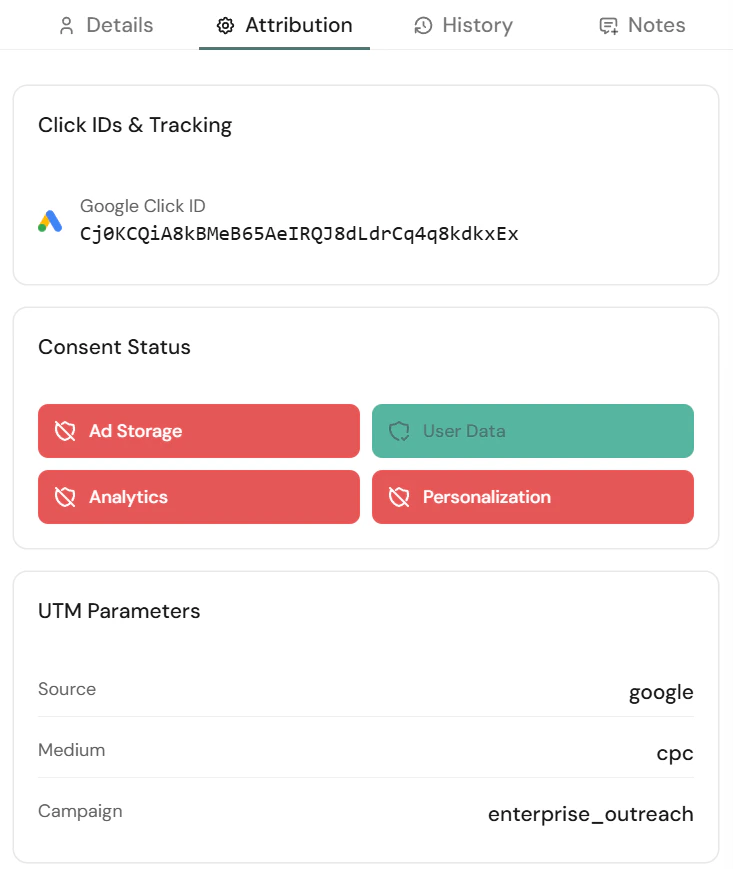
 * **Attribution**: Shows through which channel a lead came in, which Click ID was present, their consent status, and UTM parameters (if passed through the Octanist GTM Template).
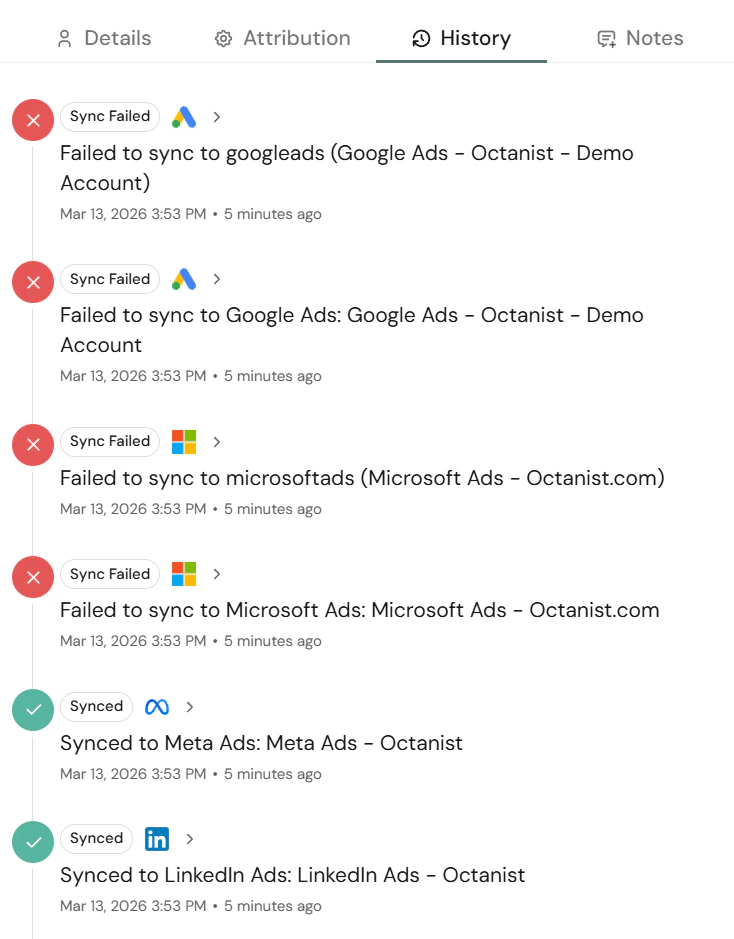
 * **History**: Shows the history of a lead — e.g., when it was marked as qualified, won, or lost, and when Octanist attempted to sync it back to ad platforms.
 * **Note**: Add internal notes to track communication or follow-ups (e.g., *"Called the lead, they'll respond in 2 weeks"*).
 ***
## 5. Expired Leads
Under the [**Expired**](https://octanist.com/leads/expired/) tab in the Leads section, you'll find leads that haven't been qualified within 90 days.
***
## 5. Expired Leads
Under the [**Expired**](https://octanist.com/leads/expired/) tab in the Leads section, you'll find leads that haven't been qualified within 90 days.
 Why this matters:
* For many ad platforms (e.g., Google Ads), click or conversion tracking **expires after 90 days**.
* After that, Octanist can no longer attribute a conversion to a campaign.
These leads become **obsolete** — meaning the link between the click and the lead is lost.\
To avoid this, make sure to **qualify leads regularly and on time**.
Why this matters:
* For many ad platforms (e.g., Google Ads), click or conversion tracking **expires after 90 days**.
* After that, Octanist can no longer attribute a conversion to a campaign.
These leads become **obsolete** — meaning the link between the click and the lead is lost.\
To avoid this, make sure to **qualify leads regularly and on time**.