> ## Documentation Index
> Fetch the complete documentation index at: https://octanist.com/docs/llms.txt
> Use this file to discover all available pages before exploring further.
# Octanist Debugger
> Use the Chrome extension to inspect pixel installs, consent state, dataLayer events, and form tracking.
Use the Octanist Debugger Chrome extension when you need to check whether a website is installed correctly.
Open the Chrome Web Store listing.
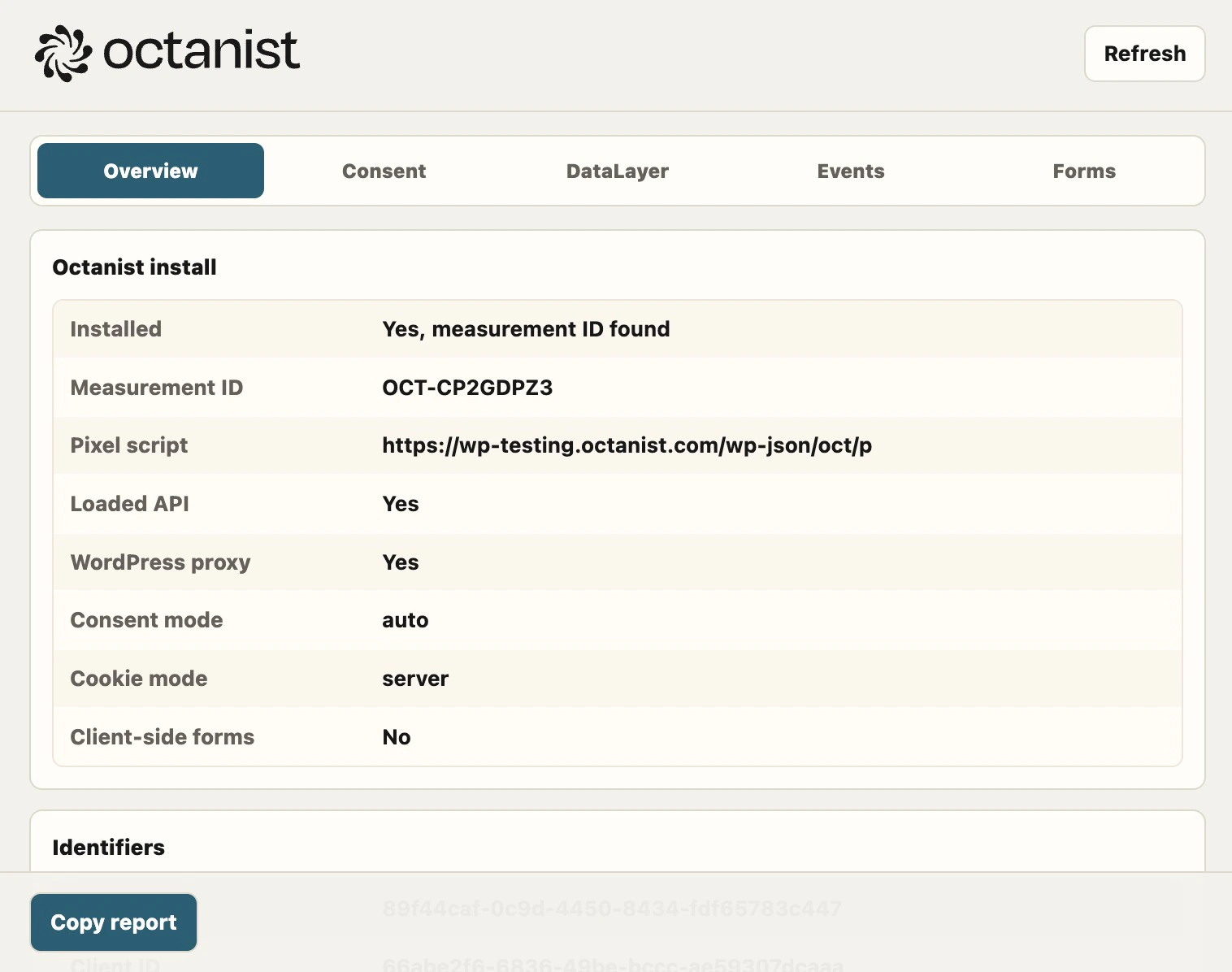 ## What it checks
The extension can show:
* Whether the Octanist pixel is installed
* The measurement ID and script URL
* Whether the pixel public API loaded
* The current session ID and client ID
* Consent mode and detected consent state
* Google Consent Mode and dataLayer entries
* Detected forms and whether `octa_sid` was injected
* Recent Octanist events
## Support workflow
1. Open the customer website.
2. Open the Octanist Debugger extension.
3. Click **Refresh**.
4. Interact with the consent banner.
5. Submit a test form.
6. Click **Refresh** again.
7. Click **Copy report** and send the report to support.
## Tabs
| Tab | Use it for |
| --------- | ---------------------------------------------------------------------------- |
| Overview | Install status, measurement ID, script source, IDs, and general setup state. |
| Consent | CMP detection and current granted or denied consent state. |
| DataLayer | Visible dataLayer events and Google Consent Mode entries. |
| Events | Octanist event timeline. |
| Forms | Form detection and `octa_sid` coverage. |
## Privacy
The extension runs locally in the browser. Reports are only copied when you click **Copy report**. Form payload values and sensitive keys are redacted before they appear in the report.
## What it checks
The extension can show:
* Whether the Octanist pixel is installed
* The measurement ID and script URL
* Whether the pixel public API loaded
* The current session ID and client ID
* Consent mode and detected consent state
* Google Consent Mode and dataLayer entries
* Detected forms and whether `octa_sid` was injected
* Recent Octanist events
## Support workflow
1. Open the customer website.
2. Open the Octanist Debugger extension.
3. Click **Refresh**.
4. Interact with the consent banner.
5. Submit a test form.
6. Click **Refresh** again.
7. Click **Copy report** and send the report to support.
## Tabs
| Tab | Use it for |
| --------- | ---------------------------------------------------------------------------- |
| Overview | Install status, measurement ID, script source, IDs, and general setup state. |
| Consent | CMP detection and current granted or denied consent state. |
| DataLayer | Visible dataLayer events and Google Consent Mode entries. |
| Events | Octanist event timeline. |
| Forms | Form detection and `octa_sid` coverage. |
## Privacy
The extension runs locally in the browser. Reports are only copied when you click **Copy report**. Form payload values and sensitive keys are redacted before they appear in the report.