What is Offline Conversion Tracking (OCT)
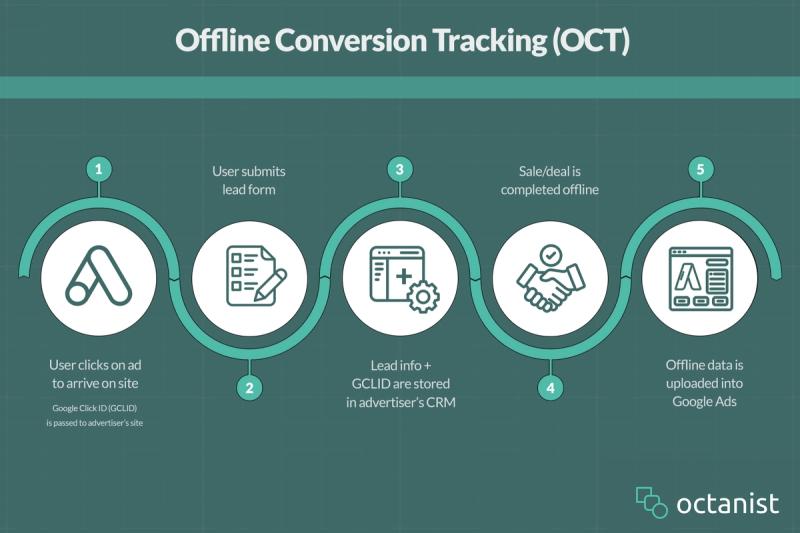
Offline Conversion Tracking (OCT) is a method that bridges the gap between online and offline interactions. In most scenarios, digital marketers and advertising specialists drive traffic to a website using advertisements with a specific goal—whether it's increasing purchases or generating leads for a business. This traffic is measurable using Tag Managers and JavaScript code on the website. However, this tracking is limited to online interactions.
For e-commerce businesses, tracking purchases is relatively straightforward since the entire transaction happens online, with only a few offline factors like refunds or customer support interactions. But when it comes to leads, tracking becomes more challenging. Leads are only measurable up to the point when a user submits a form or requests a quotation on the website. After that, marketers lose visibility into what happens next. Yet, there’s an entire follow-up process that determines whether a lead actually converts into a customer.
To illustrate the importance of Offline Conversion Tracking, let’s take the example of a company that sells heavy machinery, such as trucks and excavators.
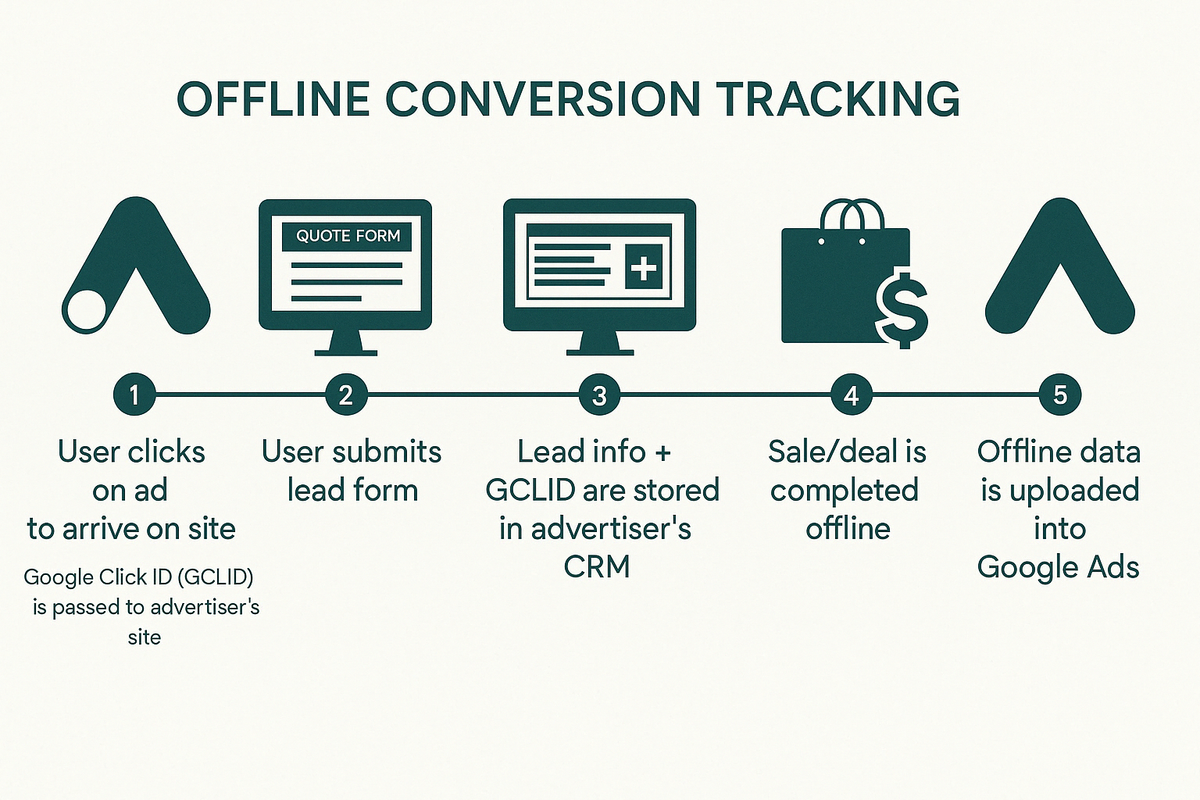
Imagine you sell building equipment—trucks and excavators—on your website. To buy these machines, customers must fill out a quotation or contact form. At this stage, they become a lead. This process is measurable through Tag Managers or JavaScript tracking on the website. However, what happens after the form submission is not trackable by default.
How do we know if the person actually went on to purchase a machine? Were they truly a valuable lead? Without Offline Conversion Tracking, we don’t. Since the decision-making and sales process happen offline, the data is lost.
In most cases, after submitting a form, a company representative follows up with the Lead. During the conversation, the potential buyer expresses their budget, timeline, and level of interest. If they are highly likely to buy and fit the company’s ideal customer profile, they become a Qualified Lead. A few weeks later, if they decide to proceed with the purchase, they become a Converted Lead—someone who has actually bought the product.
That's great, but why is it important?
Why Should You Use Offline Conversion Tracking?
In the scenario above, we described a process where a customer buys building equipment after requesting a quotation on the website. Now, imagine that 100 people go through the same process, submitting a request for a quote. The company owner follows up on all 100 leads and realizes that only 20 of them actually purchase a product—meaning that 80% of the leads did not convert into customers.
However, the owner has no insight into which campaigns brought in the Converted Leads (actual buyers) and which campaigns drove low-quality leads that didn’t result in a sale. Meanwhile, advertising costs are rising. While the number of leads is increasing, the number of actual customers is not.
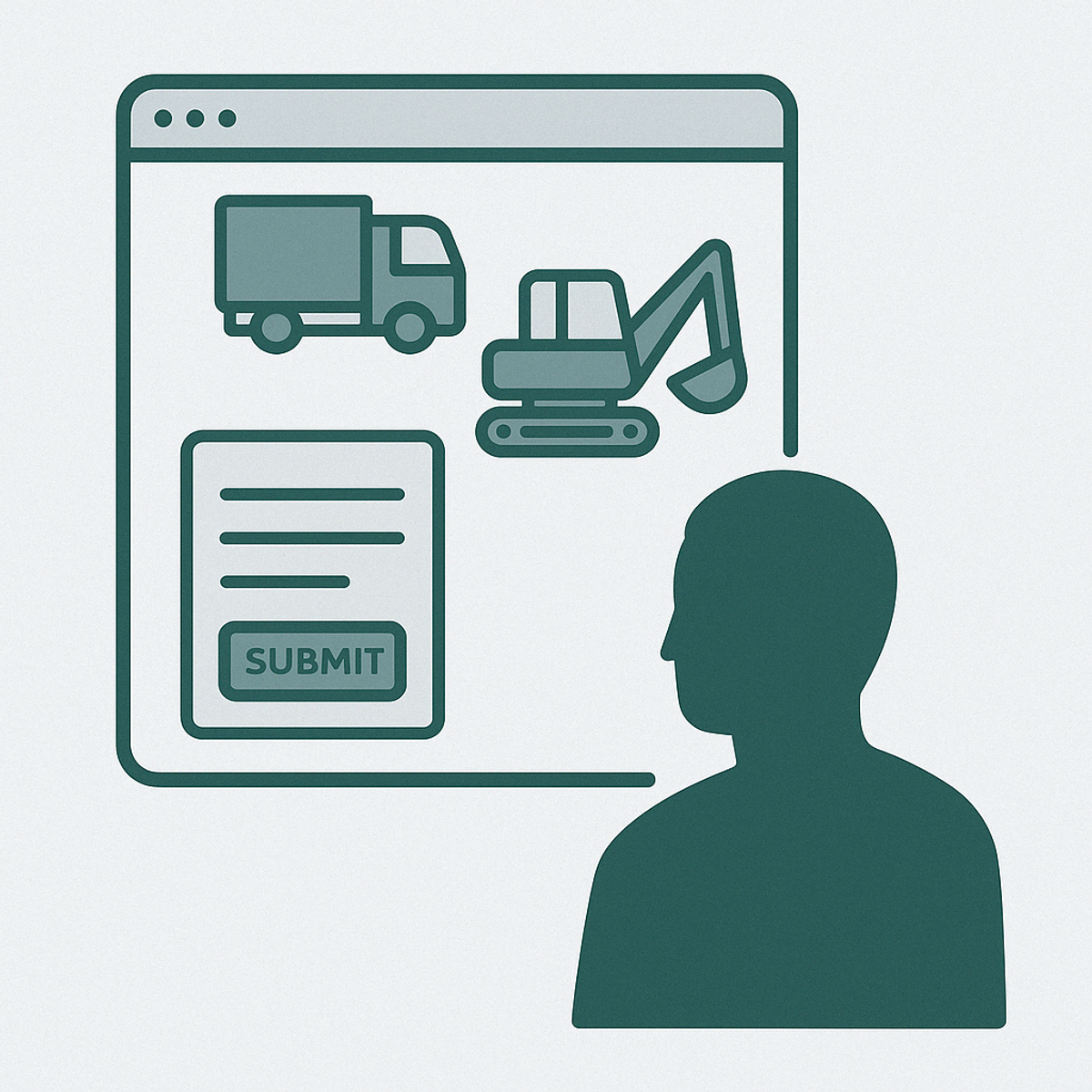
The Problem: No Visibility Into Lead Quality
Looking for answers, the business owner turns to Google Analytics 4 and Google Ads to check which campaign is driving the most leads. Some campaigns seem to generate a high number of leads—so that must be a good thing, right?
Not necessarily. Since tracking is only happening on the website, there’s no way to distinguish between high-quality leads (who eventually make a purchase) and low-quality leads (who never convert). Without this information, the company is blindly spending money on campaigns that may not be driving real revenue.
The Solution: Offline Conversion Tracking
By implementing Offline Conversion Tracking (OCT) with a tool like Octanist, the company starts tracking what happens after a lead submits a form. Now, the business can mark leads as Qualified Leads and later as Converted Leads when a sale occurs.
With this additional data, they gain powerful insights:
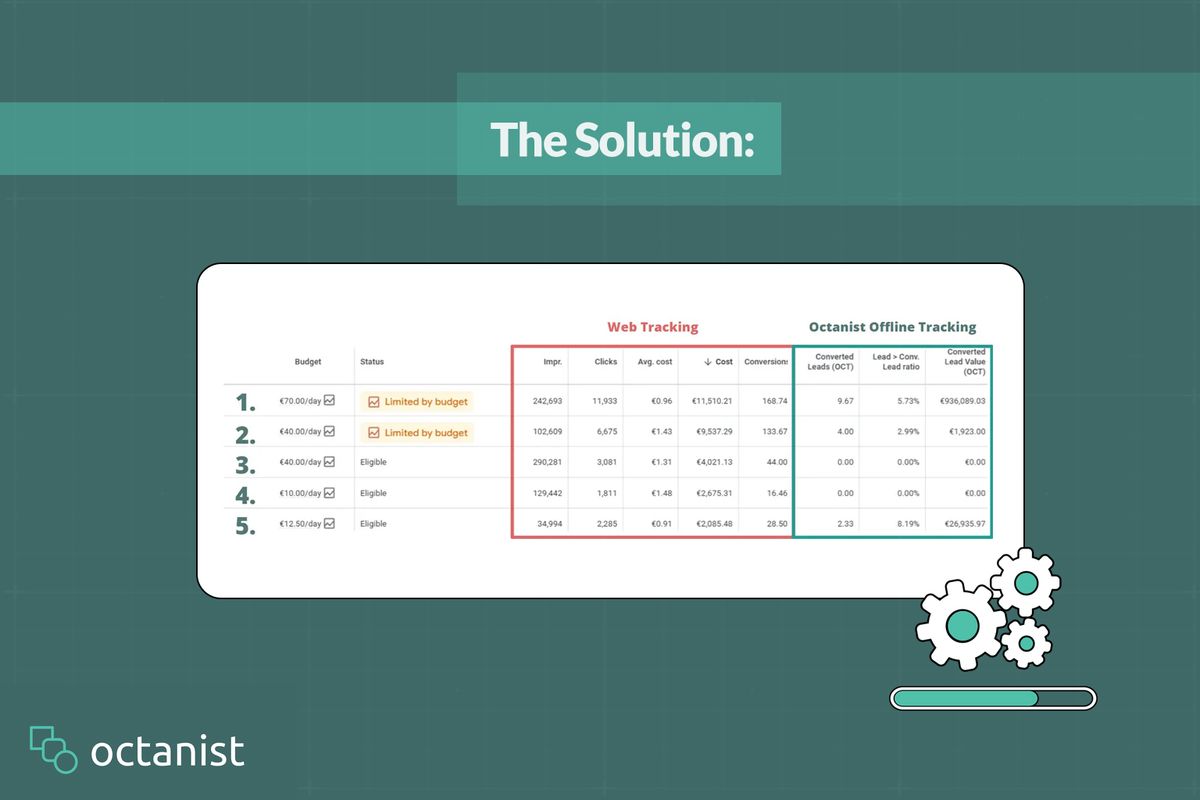
- Campaign 1 is performing well—it generates leads that turn into high-value customers at a good cost.
- Campaigns 2, 3, and 4 are wasting money—they generate leads, but most of them never convert into paying customers.
- Campaign 5 is surprisingly effective—it may not bring in the highest number of leads, but the ones it does generate result in significant revenue.
Optimizing Ad Spend Based on Real Sales
Thanks to these insights, the company owner calls their advertising specialist and makes data-driven decisions:
- Optimize Campaign 2 to improve its lead quality.
- Cut budgets for Campaigns 3 and 4 since they are costing more than they generate.
- Allocate more budget to Campaign 5, as it brings in leads that actually convert.
The Business Impact of Offline Conversion Tracking
Using Offline Conversion Tracking can save thousands in advertising costs. It allows advertising specialists to target more efficiently, while giving business owners deeper insights—not just into lead generation but also into actual sales and revenue. Instead of wasting money on low-quality leads, businesses can focus on campaigns that drive real, measurable results.