Overview
Octanist gives you a complete lead management system built for performance marketers. Every lead flows in with full attribution data, moves through a structured pipeline and, when it converts, automatically triggers ad platform syncing. No spreadsheets, no manual exports, no data entry.
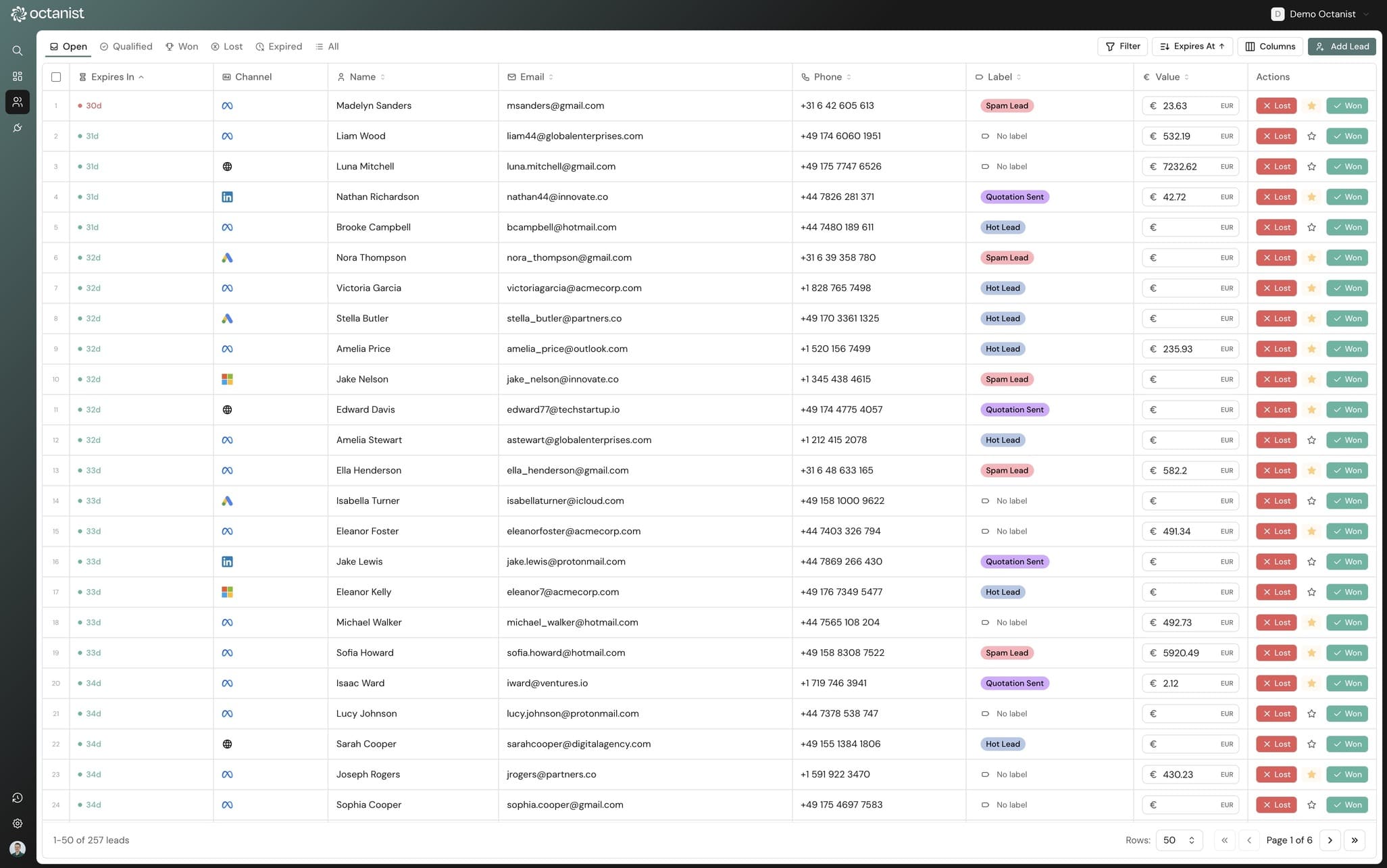
Lead lifecycle
Every lead follows a structured lifecycle with four statuses. Status transitions are intentional. Qualification is permanent, winning requires a revenue value, and losing captures the reason.
- Open: new lead, awaiting review. All leads start here.
- Qualified: meets your criteria. This is a one-way transition. Once qualified, a lead can't go back to unqualified. Triggers a "qualified" conversion event to connected ad platforms.
- Won: successfully converted. Requires a revenue value to be set. Triggers a "won" conversion event with the revenue value to all connected ad platforms.
- Lost: did not convert. Optionally captures a loss reason. Can be reopened if circumstances change.
All leads automatically expire 90 days after creation for DMA compliance. The urgency column shows a countdown with a pulsing red indicator when a lead has 30 or fewer days remaining.
Lead ingestion sources
Leads can enter Octanist from multiple sources. Each source is tagged on the lead record so you can filter and report by entry point.
- GTM / Script: client-side tracking with full click ID capture
- WordPress: official plugin for form submissions
- REST API: direct programmatic integration
- Zapier: connect 7,000+ apps without code
- CSV / XLSX import: bulk import up to 5,000 leads
- Manual: create leads directly in the UI
Smart filtering
The lead table supports filtering by 20+ fields with flexible operators. Filters are applied on top of status tabs (Open, Qualified, Won, Lost, Expired, All) and show as dismissible badges above the table.
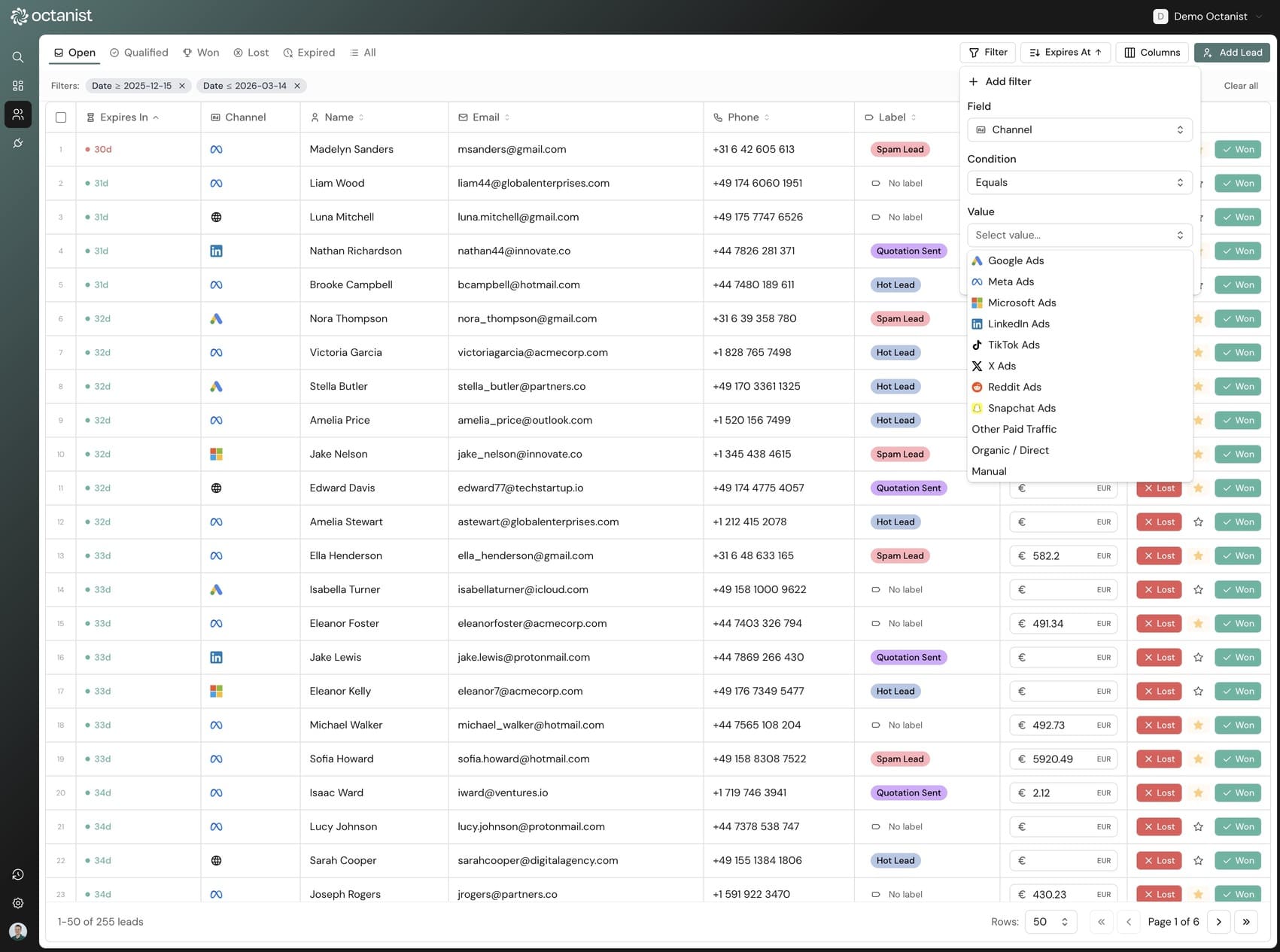
Filter categories
Contact & attribution
Filter by name, email, phone, website, path, channel, utm_source, utm_medium, utm_campaign. Text fields support equals, not equals, and contains operators.
Status & value
Filter by status, value (with >, <, ≥, ≤ operators), label, conversion event name, and entry point. Number fields support full comparison operators.
Date filters
Filter by created date, qualified date, or expiration date. Supports exact dates plus 6 presets: last 7/14/30/90 days, this week/month.
Consent & DMA
Filter by any of the 4 consent flags: ad_storage, ad_user_data, analytics_storage, ad_personalization.
Labels & tagging
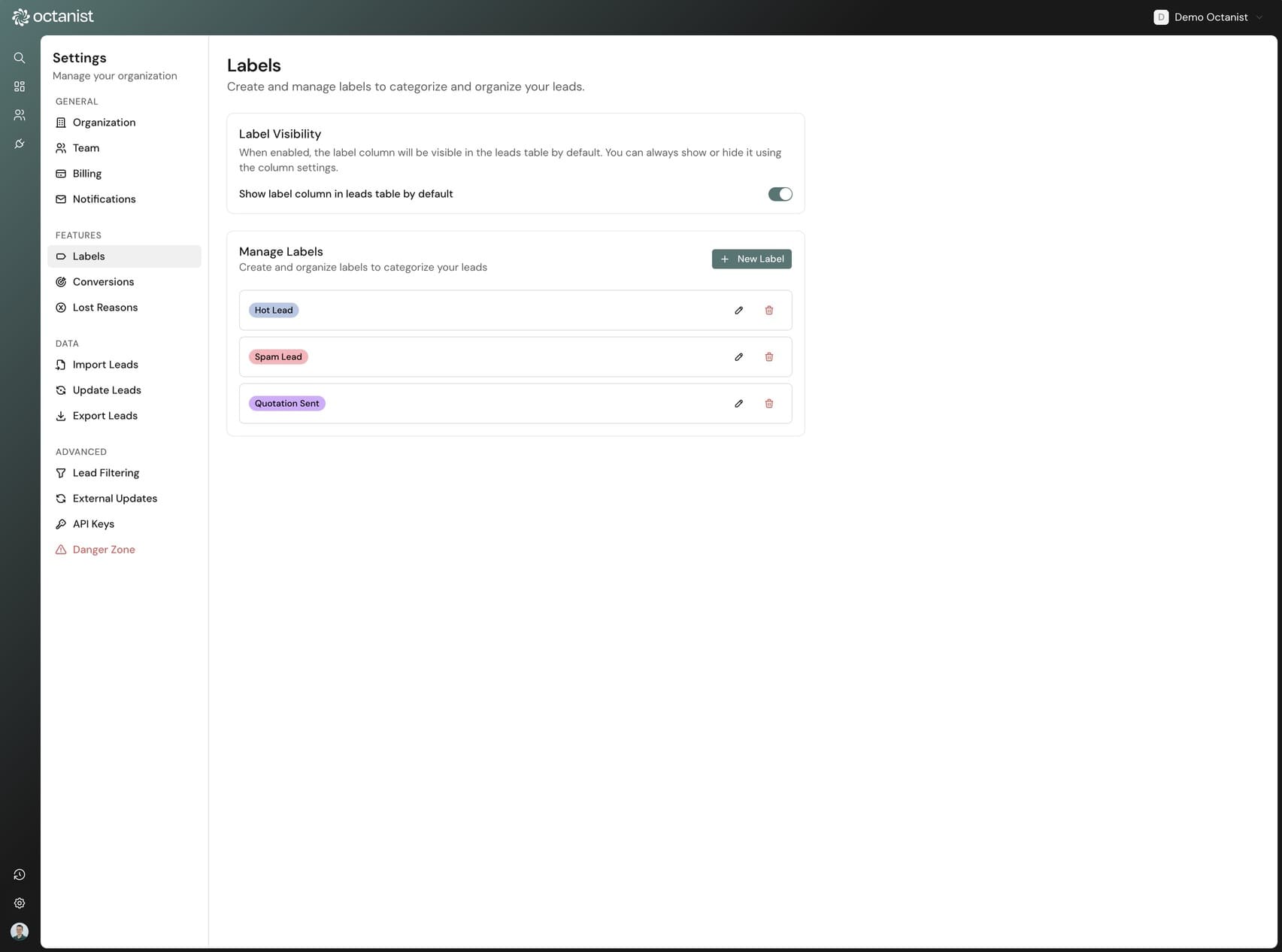
Create custom labels to categorize leads your way. Each label has a name and a color chosen from 24+ preset options or a custom hex code. Labels can be assigned inline from the lead table. Click the label column cell and select from a dropdown.
Labels are organization-wide and managed in Settings. Every label assignment is tracked in the lead's activity history. You can filter the lead table by label to quickly find all leads in a specific category.
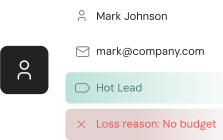
Lost lead reasons
Enable lost lead reasons in Settings to track why deals fall through. When enabled, marking a lead as lost shows a dialog where the user selects a reason and can add optional notes.
Octanist ships with 5 default reasons that you can customize:
- Budget constraints
- Went with competitor
- Bad timing
- No response
- Not a good fit
Add your own reasons, remove defaults, or reset to the original list. Lost reasons appear in the lead drawer and can be included in CSV/XLSX exports, giving you data to analyze patterns in lost deals.
Activity history & notes
Every action on a lead is logged automatically: status changes, value updates, label assignments, profile edits, and conversion syncs. The History tab in the lead drawer shows a chronological timeline with timestamps and actor information (who made the change).
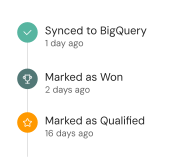
The Notes tab lets you add free-text notes for your team. Notes are stored as history entries and visible to all team members with access to the organization.
Lead drawer
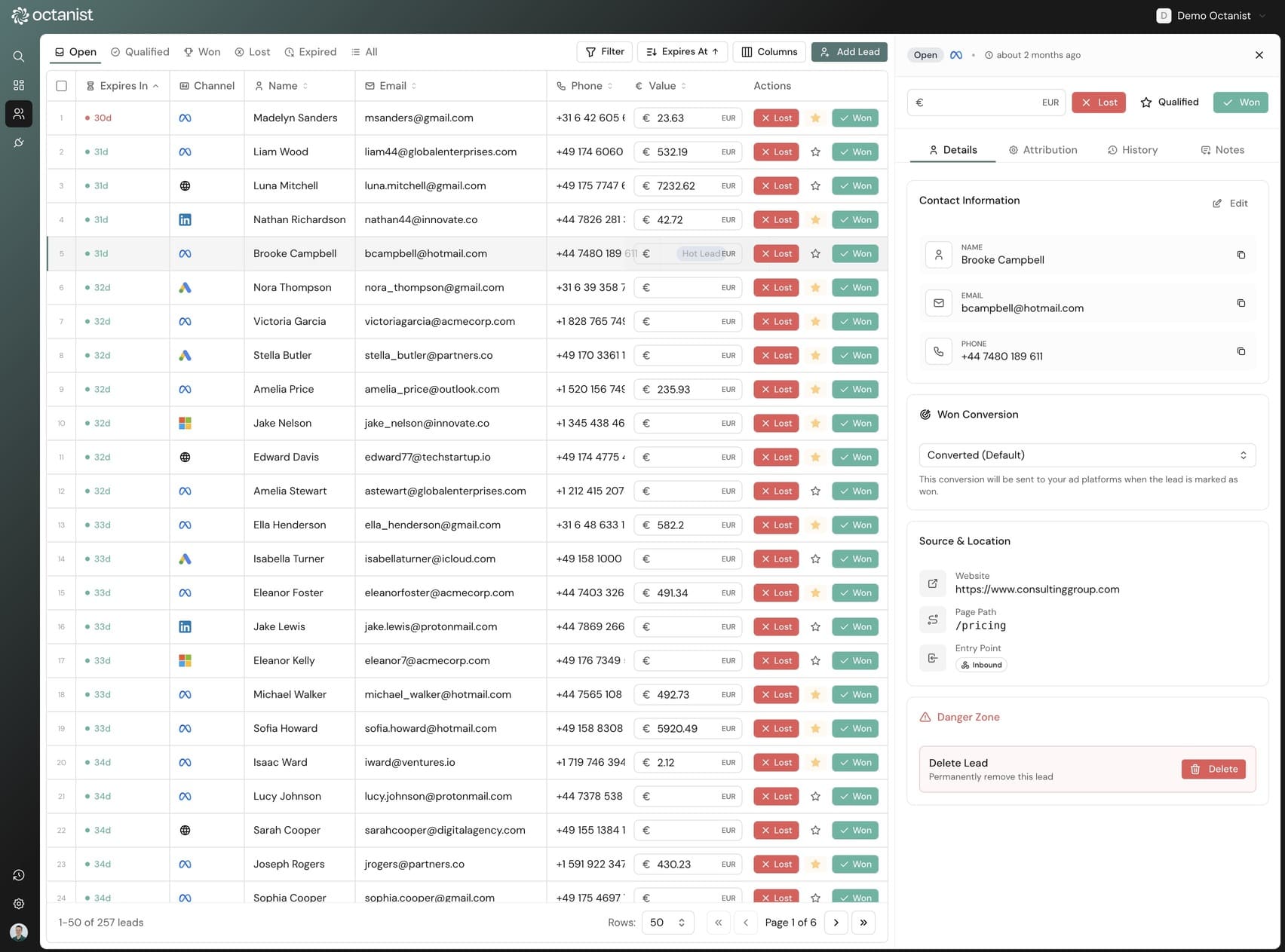
Click any lead to open a detail drawer with 4 tabs:
- Details: editable name, email, phone, custom data. Status badge, value, qualification indicator. Actions: reopen, unqualify, delete.
- Attribution: all captured click IDs with platform icons, UTM parameters, and consent status.
- History: chronological activity log of every change.
- Notes: add and view manual notes from your team.
Bulk operations
Select multiple leads with checkboxes and take action with a floating toolbar at the bottom of the screen. Requirements are validated automatically. For example, bulk "mark as won" only processes leads that have a value assigned.
- Bulk mark as won: requires value > 0 and triggers ad platform sync
- Bulk mark as lost: optional loss reason applied to all selected
- Bulk delete: permanent deletion with confirmation dialog
CSV & XLSX export
Export up to 50,000 leads as CSV or XLSX with configurable columns. All active filters apply to the export, so you export exactly the leads you need. Formula injection protection is built in.
Exportable field groups
- Core (6 fields): name, email, phone, website, path, custom data
- Status & Value (5): status, value, note, loss reason, source
- Click IDs (11): GCLID, FBC, FBP, MSCLKID, li_fat_id, ttclid, twclid, rdt_cid, sccid, ga4cid, ga4sid
- UTM (3): source, medium, campaign
- Consent (4): ad_storage, ad_user_data, analytics_storage, ad_personalization
- Dates (4): created, updated, qualified, expires
CRM sync
Connect your CRM and map deal stages to Octanist statuses. When a deal stage changes in your CRM, the lead status updates in Octanist automatically and triggers conversion syncing to your ad platforms. No manual work needed.
Supported CRM and project management integrations:
- Zoho CRM: webhook-based deal stage sync
- ClickUp: automatic webhook creation and task status mapping
- Recruitee: hiring pipeline stage sync for recruitment
- Monday.com: board column status mapping
- Pipedrive: deal stage pipeline sync
- Teamleader: deal milestone sync
Website filtering
Control which leads are accepted based on the referring website domain. Enable website filtering in Settings and configure an allowlist (only accept leads from specific domains) or a blocklist (reject leads from specific domains).
Domain matching is smart. "example.com" also matches "www.example.com" and "shop.example.com" but not "notexample.com".